All your favorite recipes, finally in one place.
Get the App+100K
Imported recipes
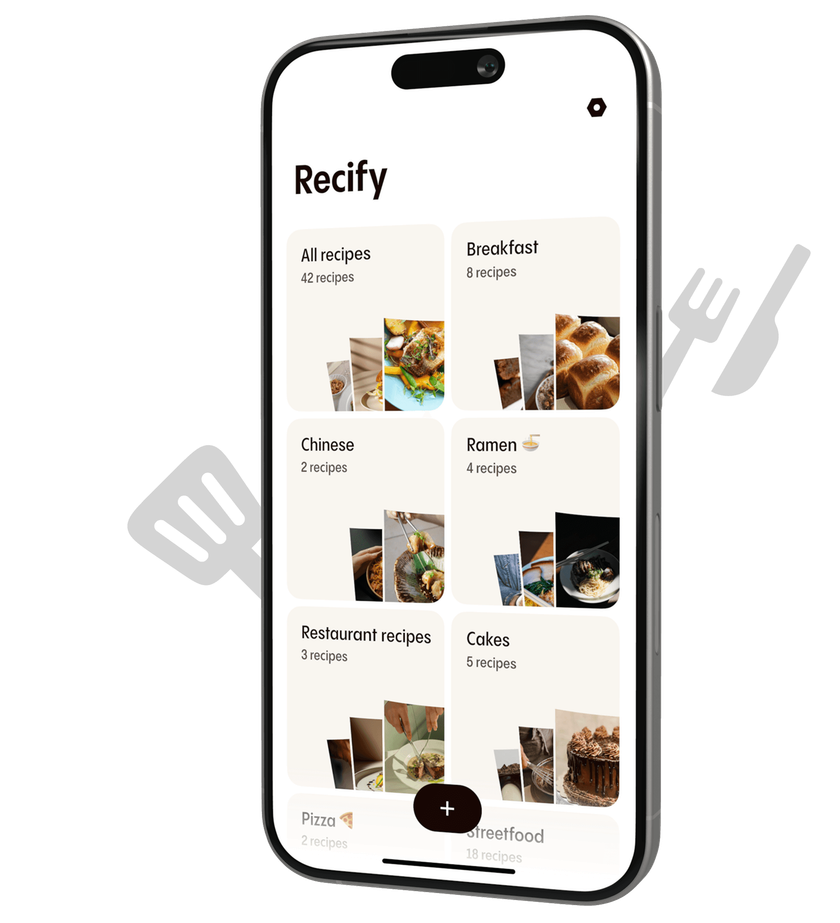
Just save it
Found it on Instagram? Pinned it last month? Just save it in Recify and never lose it again.
Copy the recipe link from anywhere
Paste the link in Recify
Recipe saved and organized




Saving is just the beginning
With Recify, recipes become easier to find, cook, tweak and share, every single time.
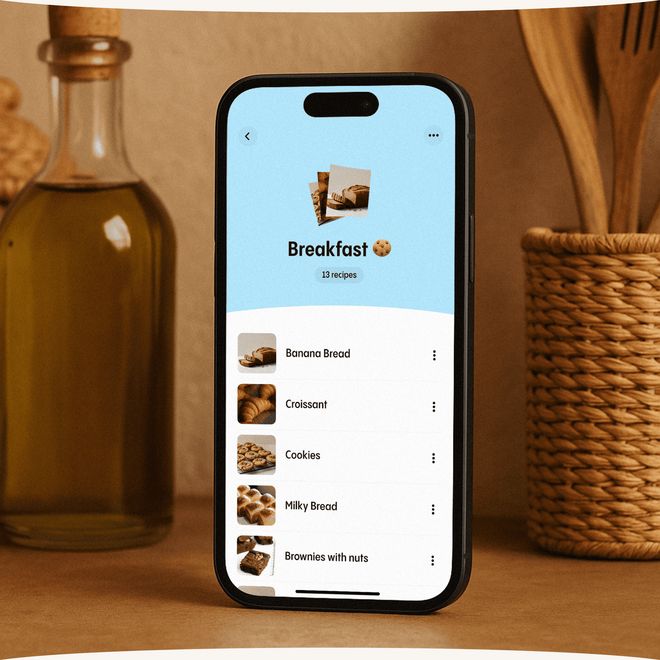
Keep your recipes beautifully organized
Group them into collections like ‘Breakfast’, ‘Vegan’, or ‘Lazy Dinners’. Customize the colors, rename, and move recipes easily.
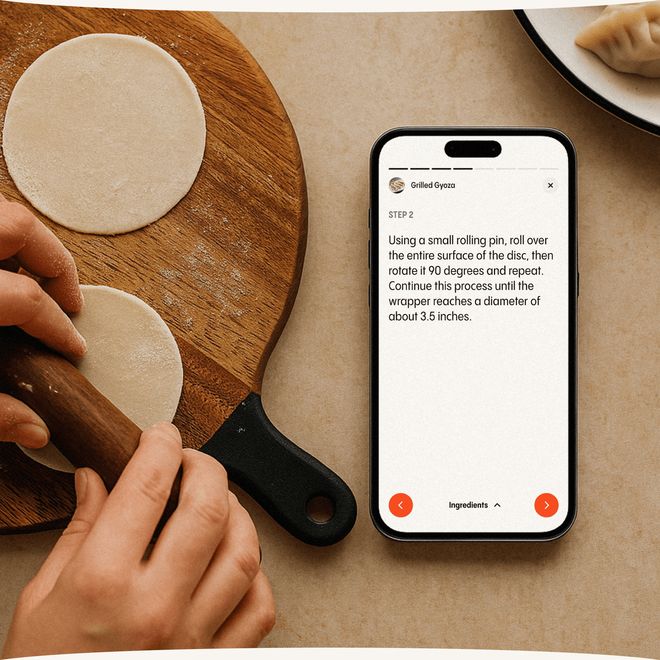
Cook step by step
Activate cooking mode and follow each step full screen. Swipe through instructions without touching your messy phone.
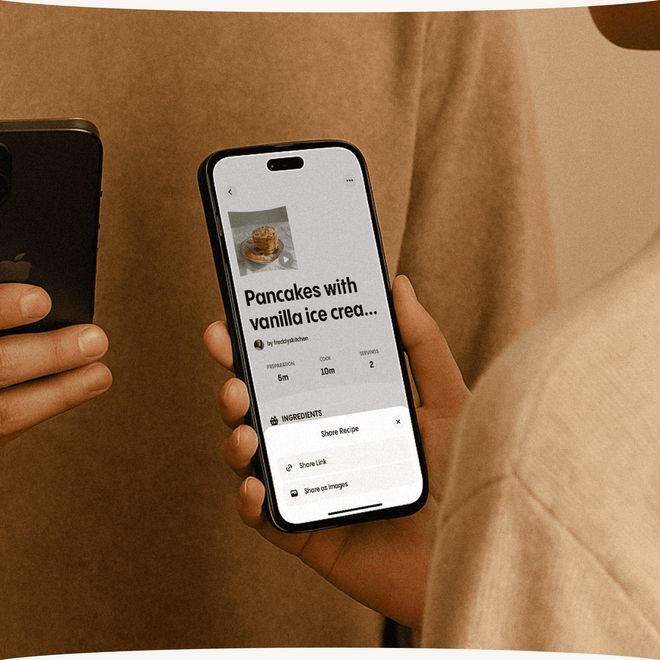
Share recipes
with your friends
Send recipes to friends or to other Recify users. You can also generate a beautiful recipe image to share on chat or stories.
Why they love Recify
wow... i’ll never have to wait for the tik tokker to say the ingredients again... thank you !!!
Love the idea of this app. no more looking through a thousand different apps to find your saved recipe... I can have them all in one spot.
The coolest thing I've learned in a long time. Perfect for anyone who saves recipes and can be done from multiple platforms.
This app is amazing and the most perfect way to get all those great recipes you've been saving all over the internet into one app! Also, this makes shopping for ingredients Wayyy easier.
omg!! thank God there is an app I can saved recipe too!! lost to many good recipes due to losing them or them getting deleted!!
Super convenient, especially for saving recipes from sites like tiktok. can’t wait to explore more features as updates roll out. Loving it so far!


Any question?
On which devices can I use Recify?
Recify is available for iPhone, iPad, Android phones and tablets. You can download it from the App Store or Google Play.
Where can I save recipes from?
You can save recipes from Instagram (including Reels), TikTok, Pinterest, YouTube, and most recipe websites. Just paste the link into Recify and the recipe will be imported automatically.
Is Recify free to use?
You get 6 free recipe imports to try out the app. After that, you’ll need a subscription to keep saving new recipes — but everything you've already saved stays yours.
Can I edit a recipe after saving it?
Yes! Open the recipe and tap on the three dots icon on the top right corner, then tap on ‘Edit’. You can update the title, ingredients, steps, tags, servings and times.
How can I customize my collections?
Just long-press on a collection to open the options menu. From there, you can change the background color, rename it, or delete it if you no longer need it.
Can I share recipes with friends?
Yes! Just open the recipe and tap the ‘Share’ button at the bottom. Then choose ‘Share Link’ — this will send the recipe directly to your friends or family, and it will show up in their Recify app. If they don’t have the app yet, no problem: once they download it, the recipe will appear automatically!
Can I access my recipes on multiple devices?
Yes! Just sign in with the same method (Google, Apple, or email) on each device using the same email address. Recify supports up to 3 devices per account.
Guides and tools
Simple help for saving the recipes you find online and cooking them later.
- Saving recipes
How to save recipes from TikTok (and actually find them again)
Save TikTok recipes with Favorites and collections, or turn the video into a written recipe you can search, scale and print. Steps for iPhone and Android.
Read the guide - Saving recipes
How to save recipes from Instagram Reels and posts
Save Instagram recipes with the bookmark and collections, or turn a Reel into a written recipe you can search and print. Steps for iPhone and Android.
Read the guide - Recipe apps
Best recipe keeper apps in 2026: 8 recipe organizers compared
An honest look at 8 recipe keeper apps: what each saves from TikTok and Instagram, which have desktop apps and shopping lists, and how each one charges.
Read the guide - Free tool
Recipe Scaler
Free online tool: double, halve or scale any recipe to the servings you need, in the browser.
Open the tool